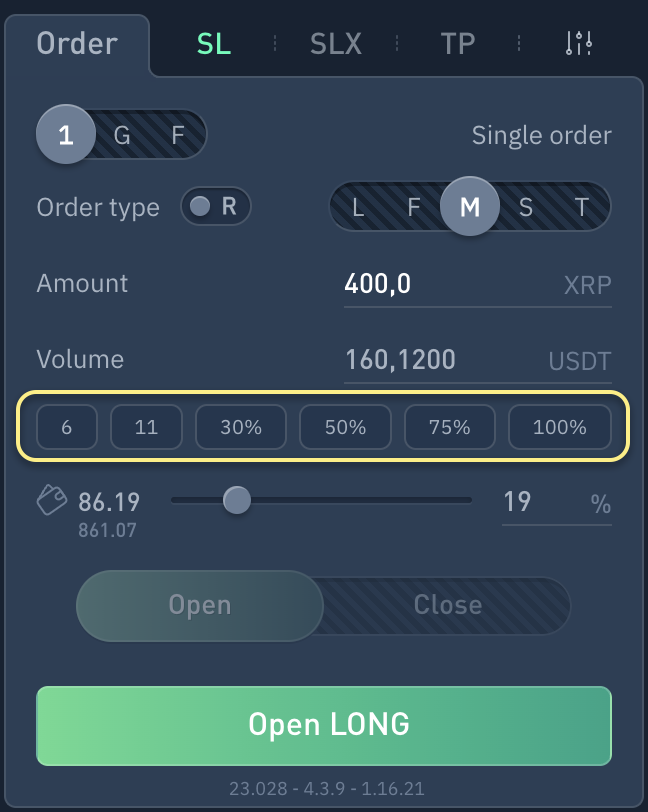
✔ Description of fixed volume settings for quick order creation or order grid on Binance, OKX, Finandy exchanges. Available in settings: Amount, Order volume, % of wallet balance
Interface
When you click on the button with a value, the specified volume or number of tokens will be inserted.
Amount
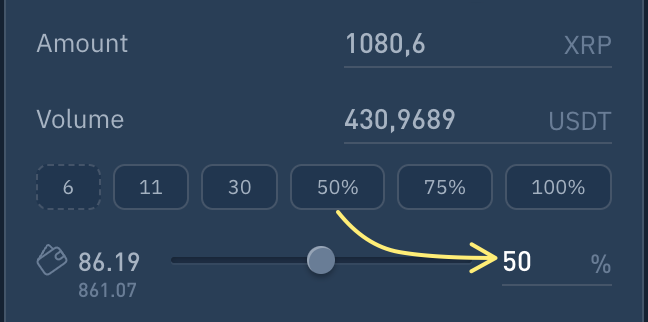
If % is not specified and the border is dashed, then clicking the button will insert Amount.
Volume
If % is not specified and the border is solid, then clicking the button will insert Volume.
Wallet balance %
If a percentage is specified, then clicking the button will insert Order volume as a percentage of the Free wallet balance.
Settings
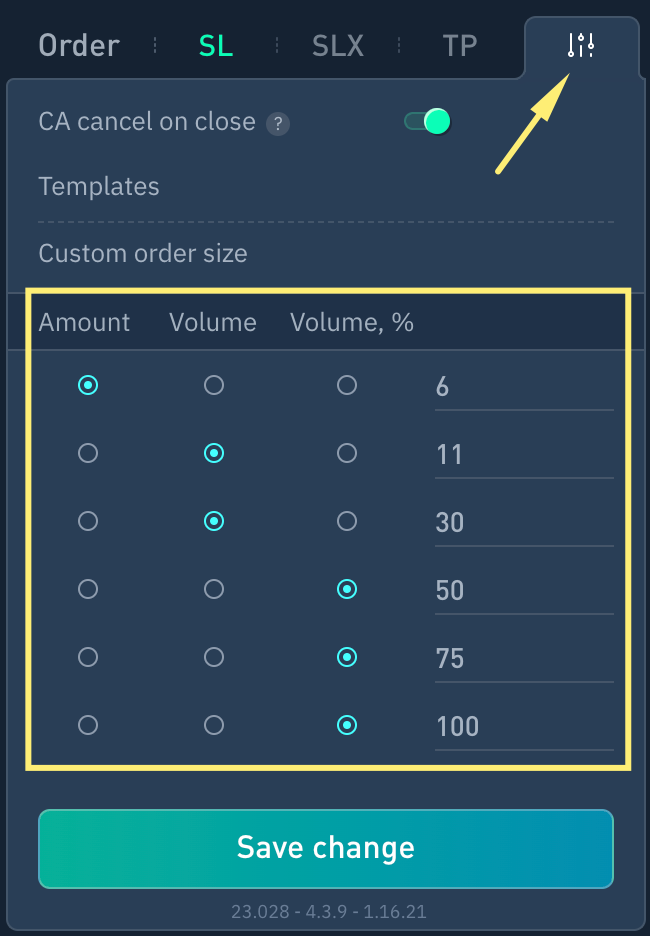
Customizable volumes are configured in the order menu.
1. Tokens amount (contracts)
2. Volume
3. Volume in % (volume in percentage of free balance)
4. Selected option value
Do you have any questions? We can help you in our Telegram chat.